Problem[01]
Timesheets on scraps of paper
Crews record hours on their phones, and labour costs land on the job they were spent on.
Specialist contractors
Quote quickly, put the right crew on the right job, and know what each job is costing you. Your team records the day on their phones; the office sees it straight away.
14 days free · card required · cancel before day 15 and pay nothing
Problems
Crews record hours on their phones, and labour costs land on the job they were spent on.
Changes are recorded and priced as they happen, so the variation is on record before the work is done.
Certificates, cards and insurance are kept with expiry dates, so you can prove compliance when the main contractor asks.
How it runs
Each part of the job sits on the same project record, kept current by the office in a browser and the site on their phones.
Build quotes from your catalog of labour, plant and materials, and send them as proposals.
Cost catalog. Your rates, reused on every quote.
Takeoff. Measure quantities from the drawings.
Online acceptance. The customer signs online.
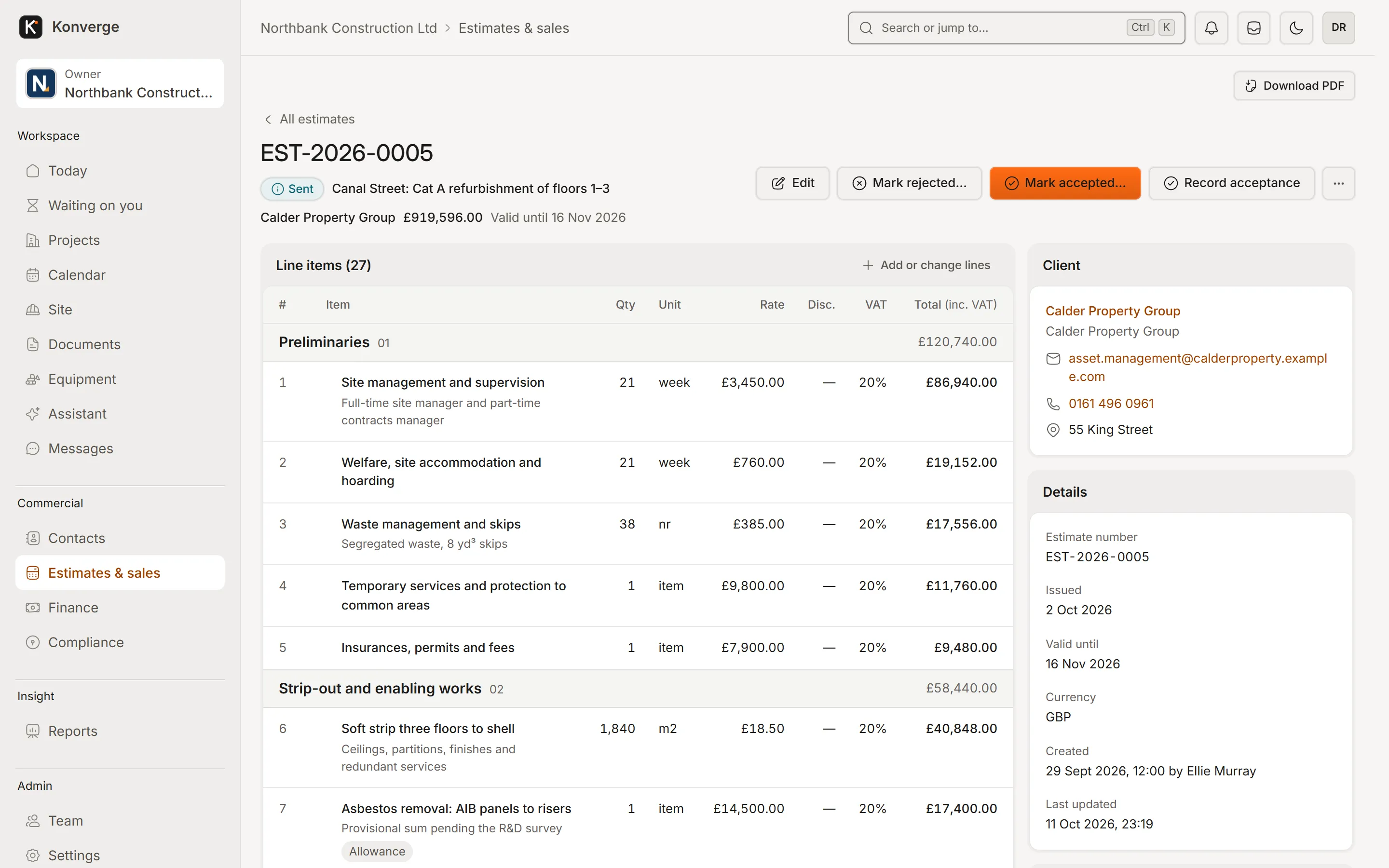
Fig. 01An estimate, priced line by line
Plan who is where, and record the hours against the job.
Crew planning. People and trades by day and site.
Timesheets from the phone. Clock in and out on site.
Labour costs. Hours times rates, on the job they belong to.
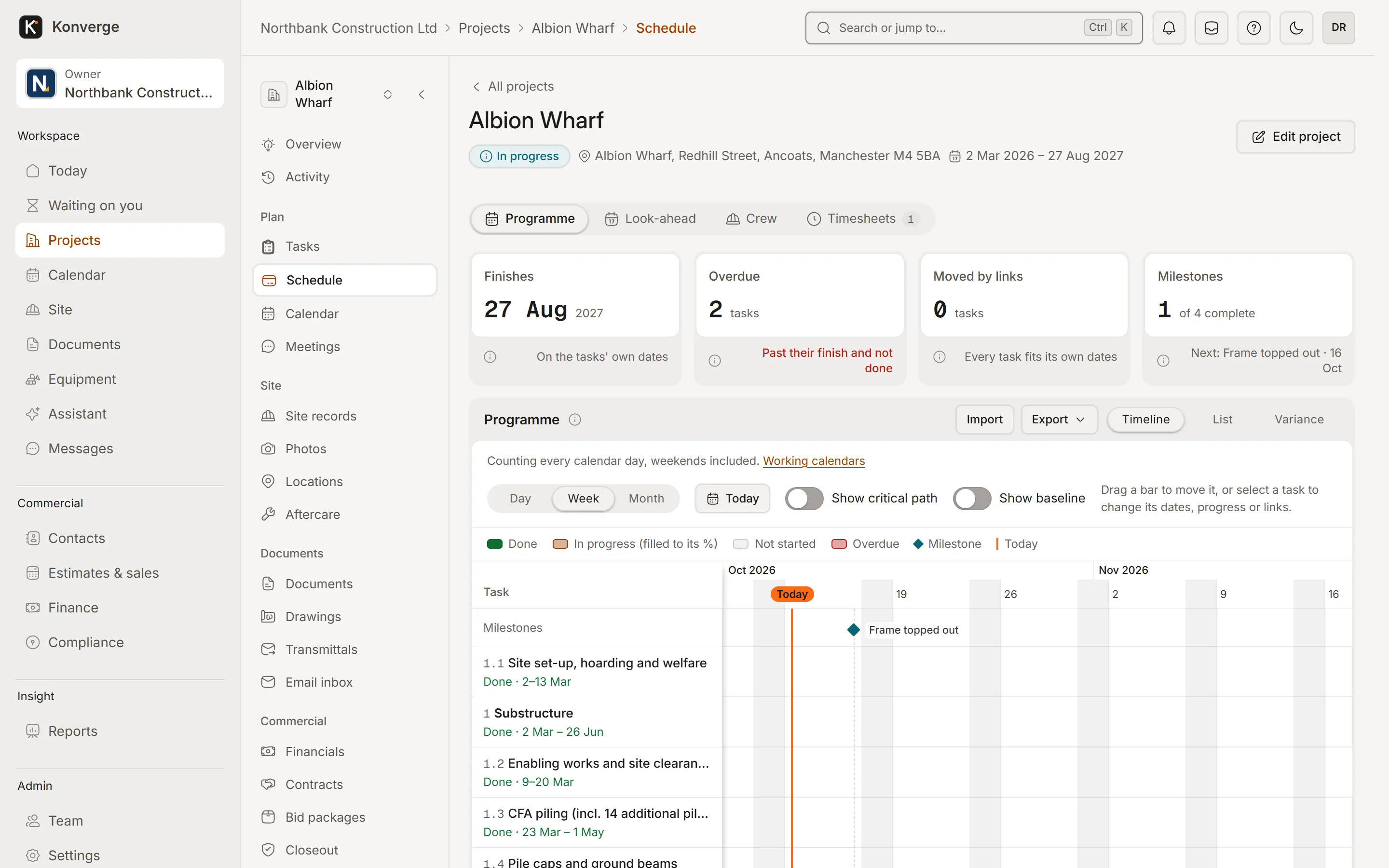
Fig. 02Programme, week view
Daily logs, photos, snags and deliveries from the phone, and offline when it has to be once the apps arrive.
Photos with place names. Evidence of the work, where it was done.
Snags assigned to you. See your list and close items with a photo.
Works with no signal in the apps. Everything queues and syncs later (iPhone and Android apps, coming soon).
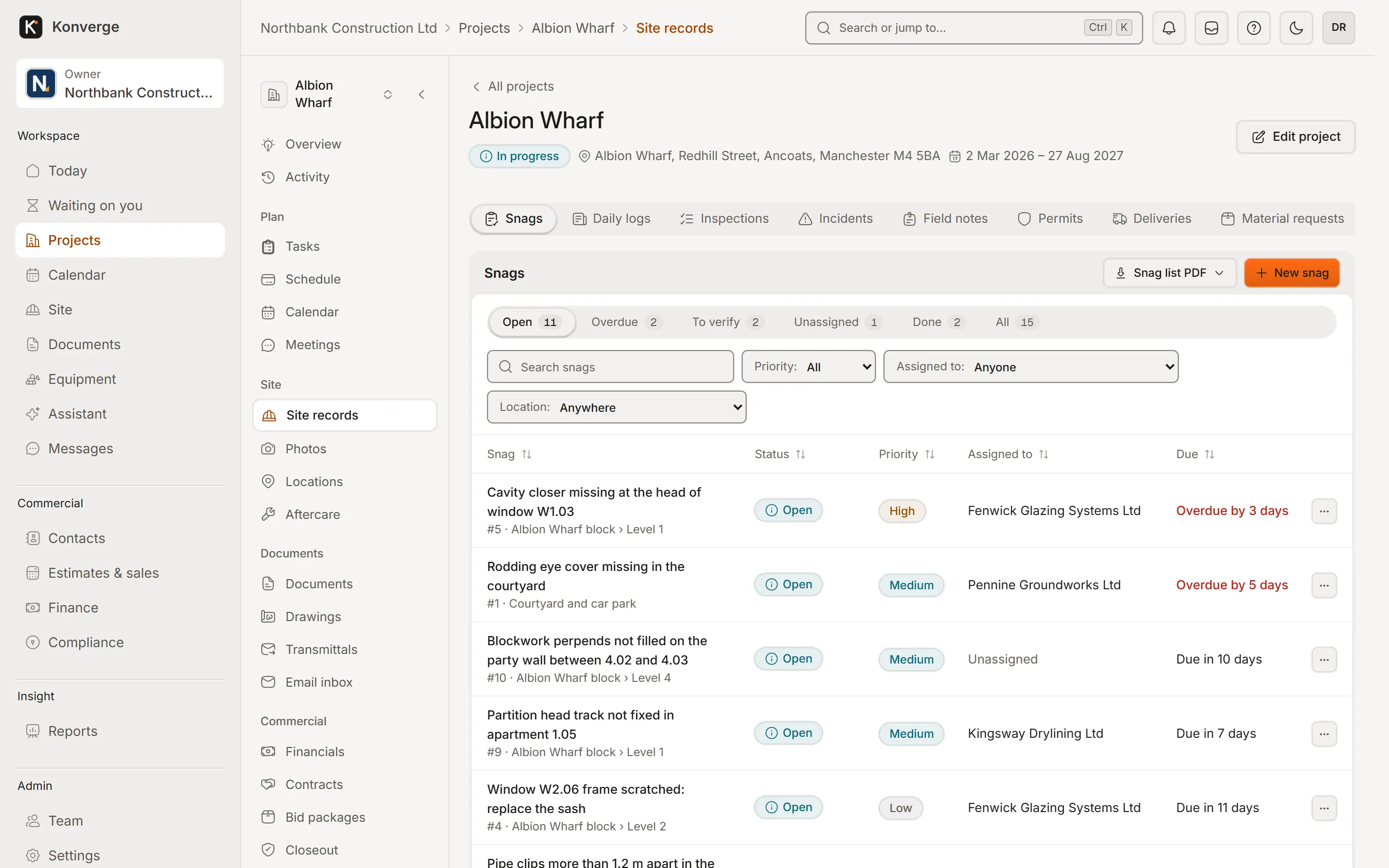
Fig. 03Snags sent in from site
Keep your own and your operatives’ documents in date.
Certificates and cards. Stored with expiry dates and reminders.
Inductions and site access. Recorded per project.
Prequalification. Answer once, reuse the answers.
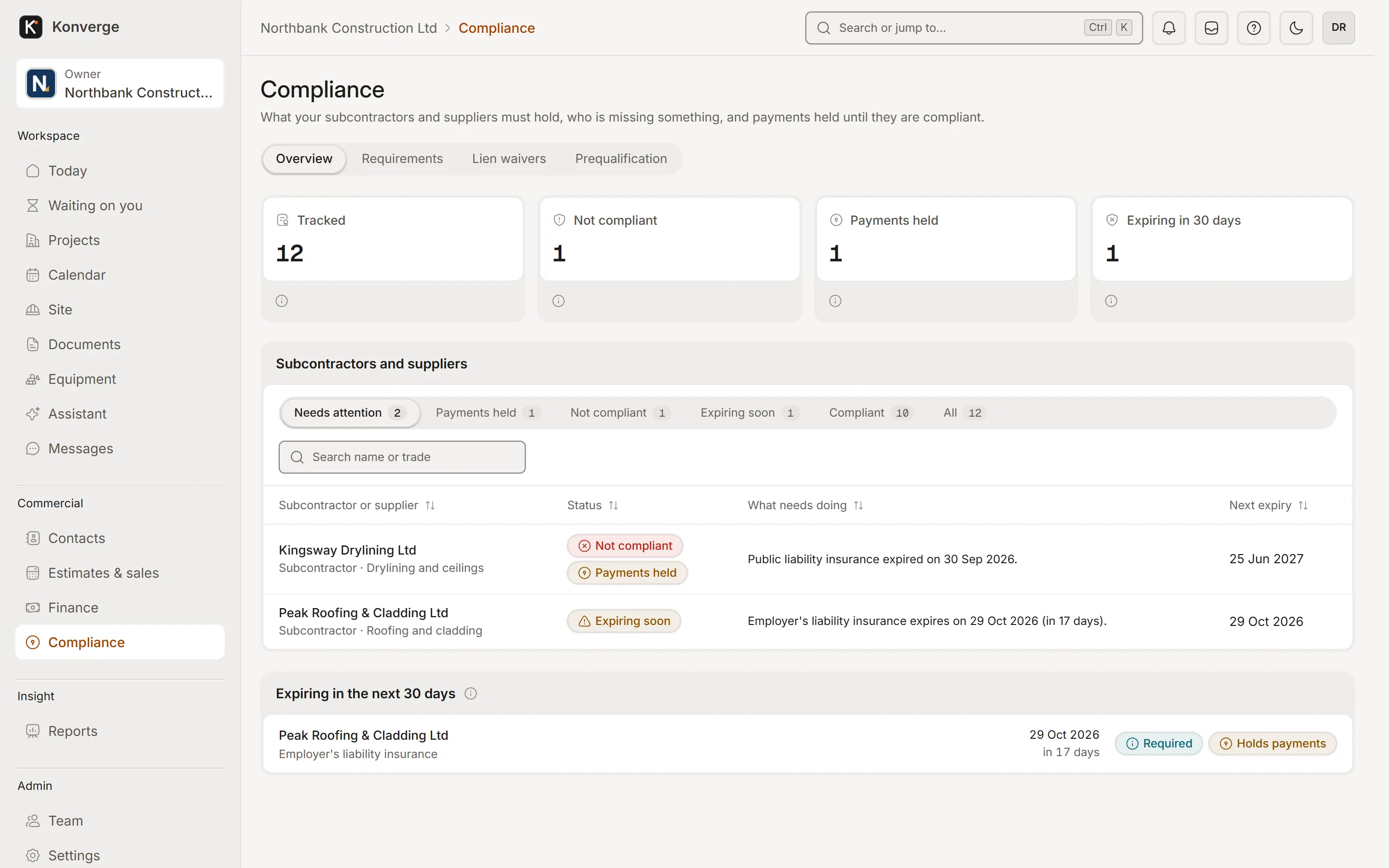
Fig. 04Subcontractor compliance
Questions
Yes. Konverge runs your own jobs, crews and costs, and if your main contractor uses Konverge they can add you to their project so you see your snags and sheets there too.
Konverge is built for site use: large buttons and a single capture button, and the iPhone and Android apps (coming soon) also work without signal. Most people need a few minutes.
Solo is for one person running up to 5 active projects. Crew includes 5 users and takes more one at a time, up to 15, with RFIs, the client portal and Xero or QuickBooks sync. Clients and subcontractors are free, and every self-serve package starts with a 14-day free trial (card at sign-up, charged on day 15 unless you cancel). The prices are on the pricing page.
By business
14-day free trial with your card at sign-up: cancel before day 15 and you pay nothing. Bring a live job, your drawings and your team, and see it on site the same day.